
AI Invoice Scanning
Upload, scan, done
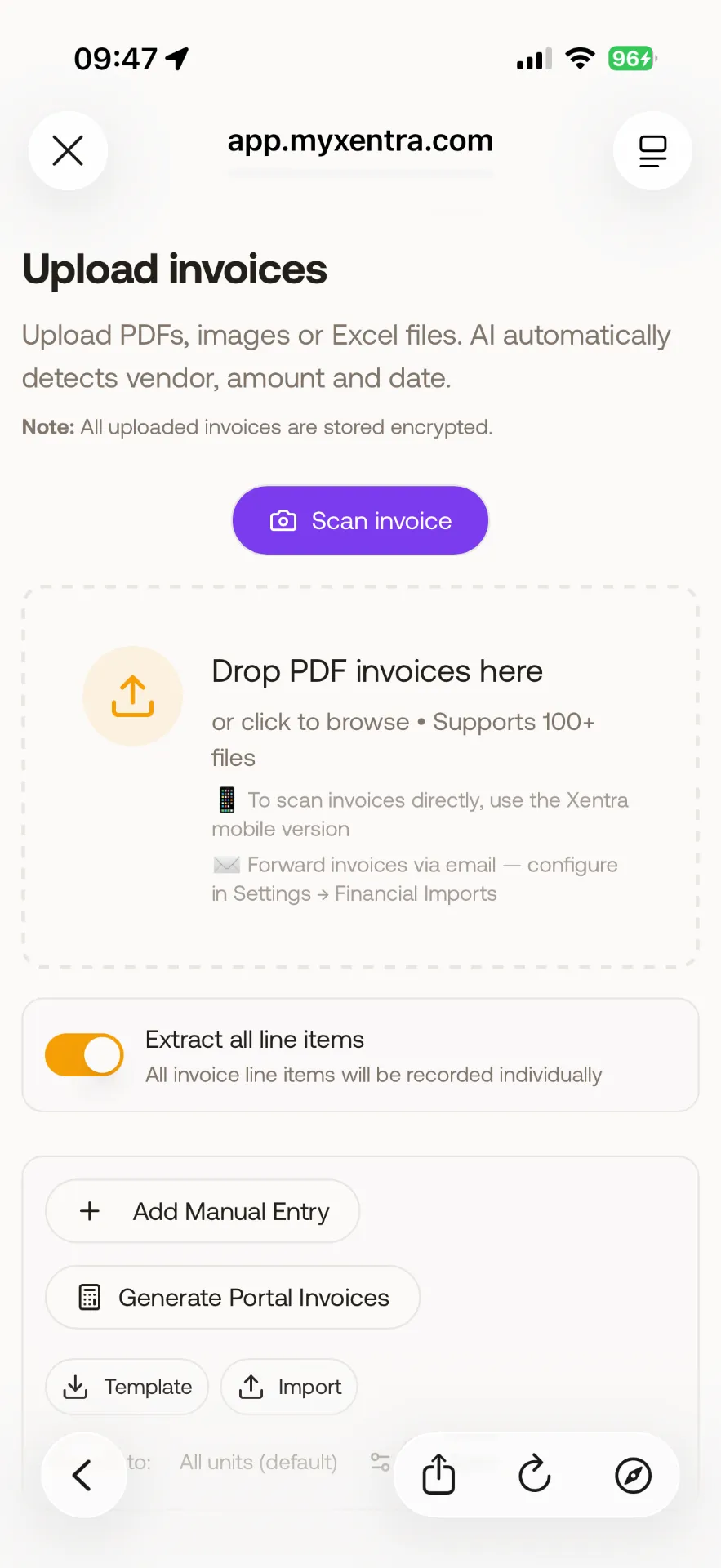
Upload PDF or photo invoices and let AI extract vendor name, amount, date, tax category, VAT rate, and expense category automatically. Batch processing for multiple invoices. Smart categorization that learns from your corrections over time.
What you gain
Every feature creates value for both sides - you and your guests.
For the Host
Eliminate manual data entry
- Stop typing invoice data into spreadsheets - AI does it in seconds with 95%+ accuracy.
- Pattern learning means the AI gets smarter over time - it remembers your vendors and categories.
- Batch processing handles your monthly invoice stack in one upload - not one by one.
- Linked to units, every expense flows automatically into P&L reports per property.
- German VAT compliance: AI detects 7% vs 19% rates correctly - critical for accurate tax reporting.
For the Guest
Well-managed properties with transparent costs
- When hosts track expenses properly, they invest in the right improvements for guest comfort.
- Accurate cost tracking prevents both under-investment and surprise price increases.
How it works
A step-by-step look at the experience.
Upload invoices as PDF, JPG, or PNG - individually or in bulk. The AI processes each document and extracts key fields.
Extracted fields: vendor/supplier name, invoice number, date, gross amount, net amount, VAT amount, VAT rate (7% or 19%), and expense category.
Smart categorization: AI suggests expense categories (cleaning, maintenance, furnishing, utilities, insurance, office supplies, professional services) based on vendor name and invoice content.
Pattern learning: when you correct a categorization, the AI learns. Future invoices from the same vendor are categorized correctly automatically.
Batch processing: upload 10+ invoices at once. AI processes them in parallel and presents results for review.
Link invoices to specific units for per-property expense tracking.
Feature deep dive
Detailed look at every capability within AI Invoice Scanning.
Invoice Upload
Drag-and-drop single or multiple files (PDF, JPG, PNG). Files are uploaded to secure cloud storage and queued for AI processing. Progress indicators show processing status.
AI Extraction
AI reads the uploaded document and extracts: vendor name, invoice number, date, gross amount, net amount, VAT amount, VAT rate, and line items. Results are presented for review with confidence scores.
Smart Categorization
Based on vendor name and invoice content, AI suggests an expense category. Categories: Cleaning, Maintenance, Furnishing, Utilities, Insurance, Office, Professional Services, Marketing, Other.
Review & Approve
Each processed invoice shows extracted data side-by-side with the original document. Edit any field. Approve to save. Corrections feed back into the AI model for future improvements.
Unit Linking
Assign each invoice to a specific unit (or portfolio-wide). Unit-linked expenses appear in that property's P&L report and per-unit cost analysis.